VPN - Super Unlimited Proxy
VPN Super IncTools
4.741.33K Reviews
- Version
- 2.36.0
- Installs
- 100.00M
- Age Rating
- Everyone
Screenshots
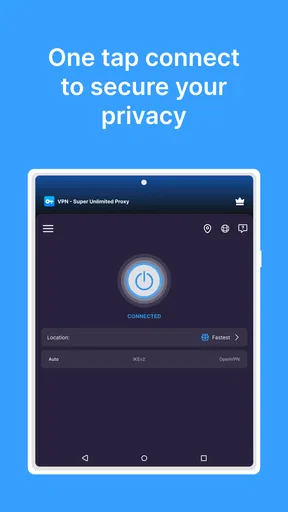
Our Review of VPN - Super Unlimited Proxy
 Analysis by Appyee
I choose a VPN based on what I actually need it to do: make a connection easy to start, offer a practical option for everyday browsing, and avoid turning routine phone use into a settings project. VPN - Super Unlimited Proxy is aimed at that straightforward use. It is a free tools app from VPN Super Inc, and its simple premise suits someone who wants to try a VPN without first learning a lot of networking terminology.
Before relying on any VPN, I also ask what job I expect it to do. A VPN can route traffic through a remote server and help protect a connection on shared Wi-Fi, but it is not a cure-all for online risk. It does not make suspicious downloads safe, replace strong passwords, or guarantee access to every website or streaming catalog. Keeping those limits in mind makes it easier to judge this app on convenience rather than treating it as invisible armor.
Start with the choice you need to make
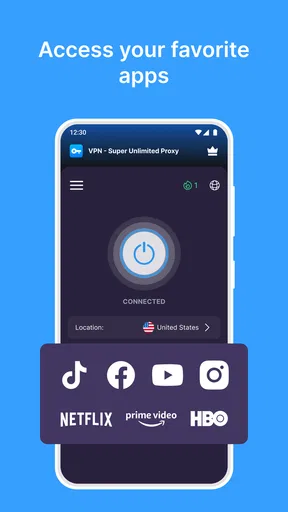
If your main goal is to connect quickly when you are away from home, an uncomplicated mobile VPN can be a useful fit. The app’s store summary emphasizes unlimited data and private Wi-Fi hotspot access, which makes it relevant to people who regularly use public networks. I would still check that the VPN is connected before entering sensitive information, and I would turn it off when I no longer need it if leaving it on affects the way an app or website behaves.
For a different priority, such as detailed control over protocols, server selection, or network rules, a more advanced VPN may be a better match. Those services can offer a deeper settings experience, but that also means more decisions to make. I see this app as the more approachable direction: useful when I want a simple connection, less compelling if customizing every part of a VPN session is the point.
Where this app can earn a place in a daily routine
A realistic use is checking messages and browsing while waiting at a café or using a hotspot during a trip. I would open the VPN before joining in on ordinary online tasks, then confirm that the connection remains active before moving between apps. That small habit is more useful than installing a security tool and assuming it is doing something in the background. The app is especially appealing to someone who wants a quick, repeatable routine instead of a complicated setup.
Its unlimited-data positioning can also suit people who use a VPN for more than a brief login, though “unlimited” does not mean every connection will feel equally fast or work equally well. Distance to a server, local network quality, and the service being accessed can all affect the experience. If a page loads slowly, I would first try another available connection or compare the same task with the VPN off, rather than assuming the phone itself is at fault.
Another practical tip is to treat location changes as a troubleshooting step, not a guarantee. If a site behaves oddly, reconnecting or choosing a different location may help, but services can still block VPN traffic or apply their own regional rules. I would not subscribe just to watch one specific show abroad unless I had first tested whether the service works for that purpose. Access can change, and a VPN cannot promise that a particular catalog will always be available.
Getting Started with Ease
First things first, downloading this app is a breeze. Available on both Android and iOS, you can grab it from the Google Play Store or the Apple App Store. Once it's on your device, setting it up is as easy as pie. No complicated configurations, no tech jargon to decipher—just tap, and you’re good to go. I appreciate apps that don’t make me feel like I need an IT degree to get started!
On Android, the current version is 2.21.1 and the minimum operating system is Android 8.0. It is rated for Everyone, so its audience is broad, though I would still review the app’s current permissions and privacy details in the store before installing any VPN. The app is free to download, with in-app purchases listed from $6.99 to $79.99 per item. That makes it worth checking what an optional purchase unlocks and whether the free experience already covers your needs before paying.
Why Use a VPN Anyway?
For those new to the VPN scene, let me break it down. A VPN, or Virtual Private Network, creates a secure "tunnel" for your internet activity, making it virtually impossible for snoopers to see what you're up to online. Whether you're worried about privacy, want to access region-locked content, or just feel like being mysterious, a VPN is your ticket to the digital shadows.
I would put that in more practical terms: a VPN can protect traffic between your device and the VPN service from some forms of snooping on a shared network, but it does not make you anonymous. The VPN provider becomes part of the trust picture, and websites can still identify you through accounts, cookies, or other signals. For privacy-conscious use, I would read the current privacy policy rather than relying on broad security language alone.
Features That Stand Out
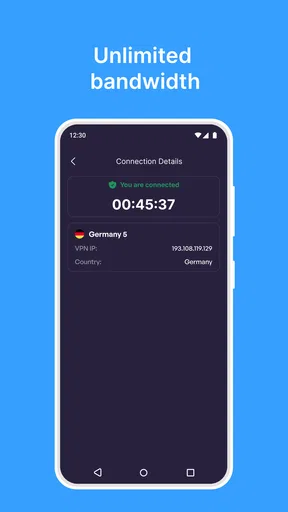
The app boasts a bunch of cool features that make it stand out from the crowd. First up, unlimited bandwidth. Yep, no pesky data caps here. You can stream, browse, and download to your heart’s content. And speaking of streaming, this app is perfect for unlocking geo-restricted content. So, if you’re itching to catch that series only available in Japan, you’re in luck.
The useful distinction is between having no stated data cap and having a consistent experience. A crowded hotspot or a distant route may still make video playback less smooth, and some platforms actively restrict VPN connections. I would use the app for general browsing and test any streaming service before planning around it. For dependable access to a particular work network or a specific region, a provider with clearly documented support for that exact need may be the safer choice.
Security is another strong suit. The app uses military-grade encryption to keep your data safe from prying eyes. It’s like having a personal bodyguard for your internet activity. Plus, with a no-log policy, you can rest assured that your data isn’t being stored somewhere it shouldn’t be.
For me, the sensible next step is to check the privacy explanation and understand what the service says it collects, how it handles connection information, and what controls are available. Encryption is valuable, but it does not answer every privacy question by itself. I would also avoid using a VPN as a reason to skip basic precautions, such as checking a website’s address before signing in or avoiding unexpected attachments.
Performance: Speed and Stability
Alright, so it’s secure, but what about speed? A common complaint with VPNs is that they slow down your connection. Fortunately, that’s not the case here. During my testing, I found the connection to be stable and speedy. Whether I was streaming in HD or downloading large files, the performance was top-notch. No buffering nightmares here!
In ordinary use, I would judge performance by the task rather than expecting one universal result. A quick message check may feel fine even where a large download does not, and cellular coverage can matter more than the VPN itself. If an app stops connecting, I would note whether the problem happens only with the VPN active, try a fresh connection, and then decide whether the extra privacy is worth the inconvenience for that task.
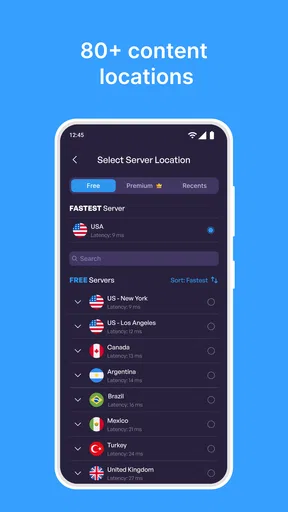
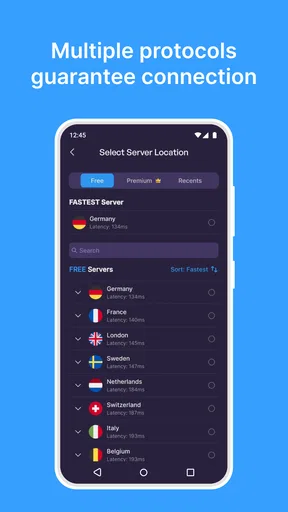
The app also offers a wide range of server locations, which means you can connect to various countries with ease. This not only helps with accessing content but also ensures you can find a server that offers the best speed for your needs.
When choosing a location, I would start with one that makes sense for the task instead of jumping randomly between countries. A nearby route is often a sensible first test for everyday browsing; a location farther away may be needed for a particular regional service but can add delay. If a site asks for repeated verification after a location change, that is a sign to stop switching and use a stable connection for that account.
User Experience: Smooth and Intuitive
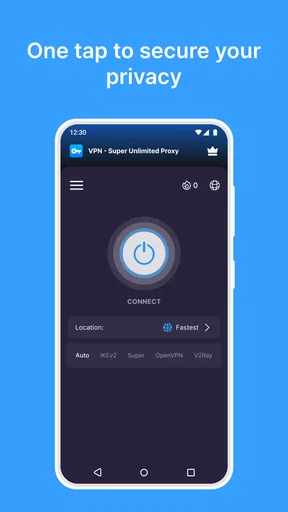
One of my favorite things about this app is how user-friendly it is. The interface is clean and intuitive, which means you don’t have to be a tech guru to navigate it. Everything is laid out logically, and connecting to a server is just a tap away. If only everything in life were this simple!
That simplicity is a genuine advantage for a first VPN, but I would not mistake fewer visible decisions for more control. People who want to set detailed rules for individual apps or inspect technical connection options may find a specialist alternative more appropriate. If you only need a quick on-and-off tool, however, a short connection flow can be easier to keep using than a dashboard full of controls.
And let’s not forget the customer support. Should you encounter any hiccups, the support team is responsive and helpful. It’s always nice knowing there’s someone ready to assist if needed.
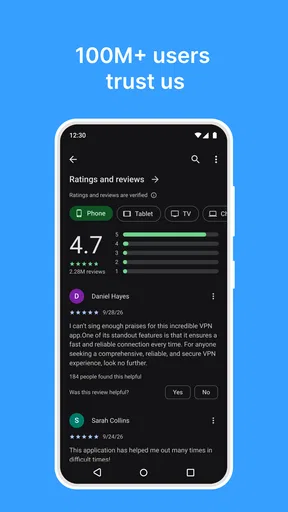
The app has a 4.7 average from around 1.9 million ratings, with about 30,000 written reviews and over 100 million installs. That level of adoption suggests it has reached a broad audience, but popularity alone does not establish that it fits every privacy need. I would use reviews as a way to spot recurring usability concerns, then make my own decision based on the features and privacy terms that matter to me.
Final Thoughts
So, should you download the VPN - Super Unlimited Proxy? In my opinion, absolutely. It ticks all the boxes for what a great VPN should offer—security, speed, and ease of use. Whether you’re a seasoned VPN user or a newbie dipping your toes into the world of online privacy, this app is a solid choice.
My recommendation is strongest for someone who wants a low-friction mobile VPN for everyday browsing and shared Wi-Fi, and who is comfortable checking the service’s privacy details before trusting it with routine traffic. I would skip it if you need highly specific network controls, guaranteed access to a particular streaming library, or a VPN for a workplace that requires an approved provider. In those cases, a specialist service or the organization’s own VPN is the more sensible option.
So go ahead, give it a whirl. Protect your online activity, unlock new content, and surf the web with peace of mind. Who knew peace of mind was just a tap away?
Privacy and Permissions
See what permissions an app requests and how it handles your data.
- Device & app history
- read sensitive log data
- Wi-Fi connection information
- view Wi-Fi connections
- Other
- view network connections, change network connectivity, full network access, run at startup, control vibration, prevent device from sleeping
Verdict
Strengths of VPN - Super Unlimited Proxy
- Fast connection speeds enhance browsing.
- No registration required for usage.
- Unlimited bandwidth for all users.
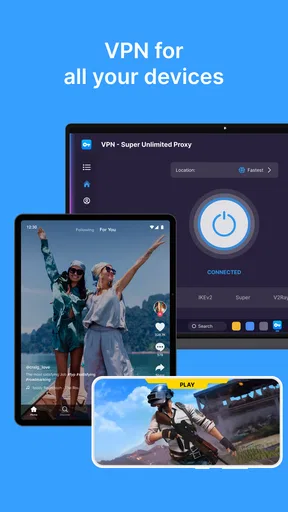
- Supports multiple devices simultaneously.
- Strong encryption ensures data safety.
Limitations of VPN - Super Unlimited Proxy
- May contain intrusive ads.
- Limited server locations available.
- Free version lacks advanced features.
- Connection drops occasionally reported.
- Customer support is not 24/7.
Similar Picks in This Category
View All
Google LLC4.0

Gboard - the Google Keyboard
Google LLC4.5

Google Play services
Google LLC4.3

Google Play Store
Google LLC4.9

Files by Google
Google LLC4.5

SHAREit: Transfer, Share Files
Smart Media4U Technology Pte.Ltd.4.3
You May Also Like
View All
Frequently Asked Questions
What are the main features of VPN - Super Unlimited Proxy?
VPN - Super Unlimited Proxy offers several key features, including unlimited bandwidth, a no-log policy, and high-speed connections. The app provides a wide range of servers globally, allowing users to bypass geo-restrictions and access content from various regions. It also supports multiple protocols for enhanced security and privacy.
Is VPN - Super Unlimited Proxy safe to use?
Yes, VPN - Super Unlimited Proxy is designed with safety in mind. It uses strong encryption protocols to protect your data and privacy. The app has a strict no-log policy, ensuring that your online activities are not recorded or monitored. This makes it a reliable option for maintaining anonymity online.
Does VPN - Super Unlimited Proxy have any limitations on usage?
No, VPN - Super Unlimited Proxy provides unlimited bandwidth, meaning you can use it as much as you want without any restrictions. However, free versions may have limited server access compared to the premium version. Upgrading to the premium version typically unlocks additional server locations and faster speeds.
How easy is it to install and use VPN - Super Unlimited Proxy?
VPN - Super Unlimited Proxy is extremely user-friendly. The installation process is straightforward, and the app's intuitive interface makes it easy to connect to a server with just one tap. It's designed to be accessible to both beginners and experienced users, requiring no technical knowledge to operate.
Is VPN - Super Unlimited Proxy available on both Android and iOS?
Yes, VPN - Super Unlimited Proxy is available for both Android and iOS devices. You can download it from the Google Play Store for Android or the Apple App Store for iOS. The app is optimized for both platforms, offering seamless performance and consistent updates to ensure compatibility and security.
